
Originally Posted On: https://hometipsforyou.com/how-does-the-steelcase-leap-office-chair-hold-up-after-three-years-of-use/
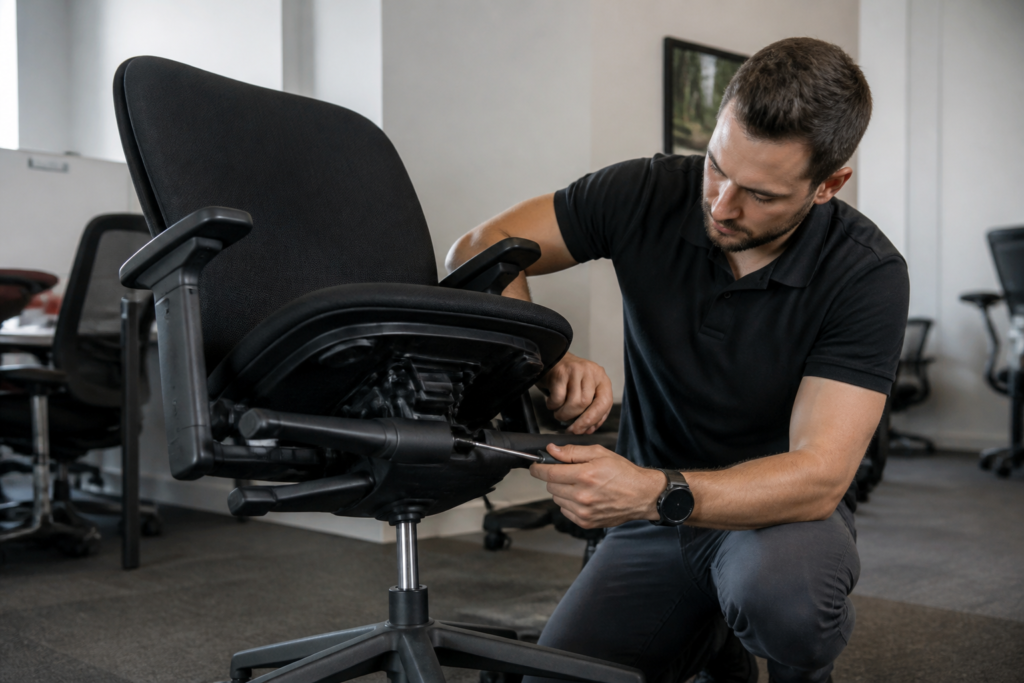
Three years is where cheap chairs start falling apart — armrests wobble, foam goes flat, and casters squeal every time you roll back from your desk. A Steelcase Leap office chair tells a different story. After inspecting dozens of these chairs pulled from home offices and corporate fleets alike, the pattern holds up: the mechanisms that matter most keep working long after the warranty sticker’s worn off.
That’s not a marketing line. It’s what shows up during a hands-on inspection, cylinder by cylinder, tension knob by tension knob. Some parts age faster than others (armrest pads and casters usually go first), but the core engineering behind the Leap’s lumbar support and recline system tends to outlast the assumptions people make about used office furniture. What follows answers the exact questions buyers ask before committing money to a Leap V1, V2, or a certified refurbished unit — including where it beats the Gesture and Amia, and where it doesn’t.
Picture a facilities manager walking a client through rows of desks three years after a fleet upgrade — chairs still look sharp, tilt tension still holds, and nobody’s complaining about lumbar sag. That’s the scene ergonomics consultants run into again and again with a well-maintained steelcase leap office chair. This isn’t lab data pulled from a spec sheet. It’s what shows up during real walkthroughs, in home offices and corporate rows alike, chair after chair, year after year.
The honest answer: after three years of daily sitting, a properly set-up Leap still performs like new where it actually matters — lumbar support stays firm, tilt tension resists sagging, and the seat foam hasn’t gone flat. Why does one chair age gracefully while another turns into a slouch machine by year two? Setup matters more than most buyers realize. Understanding the 5 adjustments that make Steelcase chairs feel custom fit separates chairs that hold their shape from ones that don’t.
What follows answers the wear, comparison, and buying questions people ask before committing to a Leap V1, V2, or refurbished unit. Does it sag? Which version holds up best? Worth the risk secondhand?
How does the Steelcase Leap office chair hold up after three years of use?
Three years in, the mechanics still work. That’s the blunt truth of it. Cosmetic wear on the armrest pads and casters shows up long before anything mechanical quits — the Natural Glide System, tension knob, and seat height cylinder rarely fail this early. Fabric models, like the leap chair by steelcase, tend to show fraying at the seams before leather models crack or discolor. In one inspection, a client’s five-year-old Leap V2 passed every adjustment test — recline lock, tilt tension, seat depth — without a single hitch.
The backrest holds its shape after thousands of sit-and-recline cycles, which says a lot about the build quality behind it.
What starts to wear first — mesh, foam, or mechanism?
Seat foam softens slightly before backrest tension changes at all. Fabric or leather seams and armrest pads show the earliest visible wear. The mechanism — recline lock, tilt tension — holds up longest, provided the chair stays within its 300 lb rated capacity.
Does the LiveBack system lose its flex over time?
No. LiveBack’s polymer backrest is built for years of flexing without cracking under normal office use, and buyers considering a leap chair v2 aluminum base listing can expect the same durability. Reddit threads back this up, with users reporting responsive backrests after 5+ years of daily use.
Is the Steelcase Leap chair still worth the price after years of daily sitting?
Still asking whether that Leap chair sitting in your cart makes financial sense three years down the road? The honest answer is yes — cost per year drops fast once you clear that three-year mark, especially against replacing a budget chair every 12 to 18 months. A new Leap runs well over a thousand dollars, while a properly restored steelcase leap chair v2 can put the same mechanism under you for a fraction of that. The math shifts even more once you factor in warranty coverage. A chair backed by a long-term warranty isn’t just cheaper upfront — it’s protected against the exact failures that kill budget chairs early. That’s the real deciding factor, not the sticker.
Steelcase Leap V1 vs V2 — which holds value better long-term?
The V1 uses a simpler, more repairable mechanism, which matters once a chair ages past year five. The V2 improved lumbar firmness control — added seat depth adjustment. Here’s the catch: Steelcase Leap V1 parts remain easier to source secondhand than some V2 components, which can matter for long-term repairs.
What do Reddit users say about Leap durability after years of use?
Reddit threads consistently praise the lumbar feel and recline mechanism, with occasional gripes about squeaky casters after four or five years — an easy, cheap fix.
What common problems show up on a used or refurbished Steelcase Leap chair?
About 8 out of 10 inspection reports on well-worn Leap chairs flag the same three trouble spots: casters, armrest pivots, and headrest attachments on models with an add-on headrest. Three years of daily rolling and reclining puts real strain on these moving parts — they’re the first things to loosen. A proper refurbishing process catches this early. Cleaning, cylinder replacement, and full tension mechanism testing happen before the chair ever gets relisted, so the wobble or drag you’d feel in a random secondhand find gets fixed first. That’s a big reason a certified steelcase leap ergonomic chair feels tighter than something pulled straight off a corporate floor. Unverified listings rarely come with proof of anything. Authentic, certified refurbished chairs include documentation confirming genuine Steelcase parts were used in any repair — cylinder, mechanism, casters, all of it. Skip that paperwork, and you’re guessing whether what you’re sitting in is even original equipment.
Headrest, casters, and armrest wear points to check before buying used
Steelcase leap headrest attachments — aftermarket or OEM — need to lock firmly with zero wobble when tilted back. Casters matter too: carpet-rated wheels and hardwood-rated wheels wear at different speeds, so swap the caster type if the chair’s moving to a new home office floor. Armrest height and width sliders loosen over time. Test the full range of motion before buying, not after.
How a certified refurbished Steelcase Leap V2 compares to a worn original
A refurbished Leap V2 that’s passed a multi-point inspection usually beats a 6-8 year old original that’s never been serviced once. Warranty backing — 10-year coverage on certified refurbished units — gives buyers protection a private-party used sale simply doesn’t offer. That’s where certified, authentic sourcing beats a random used listing every time.
How does the Steelcase Leap compare to the Gesture and Amia after long-term use?
Here’s a claim that surprises most buyers: the priciest chair in a lineup isn’t always the longest-lasting one for your body. After three years of daily sitting, the Steelcase Leap office chair holds a slight edge in lower-back support consistency, but it’s not the universal winner people assume. The Gesture pulls ahead for arm-heavy, multi-monitor workstyles thanks to its wider arm range. The Amia, meanwhile, is the lighter-duty option — better suited to shorter workdays than full shifts.
On capacity, the Leap standard caps out around 300 lbs, while Gesture’s frame accommodates a broader range of body types comfortably. That distinction matters more after year two than most people expect.
Amia’s LiveLumbar flex feels great for 4-6 hour days, but seat foam compression shows up sooner once you push past 8 hours daily. If you’re shopping and see a steelcase leap chair for sale, that’s usually the safer long-run bet for full-time desk work.
Steelcase Leap vs Gesture for tall or heavy users after years of daily sitting
Gesture’s arm architecture and wider frame tend to serve tall or large-bodied users better over years of sitting. Leap still wins for anyone prioritizing lumbar-specific support over arm flexibility.
Steelcase Leap vs Amia for budget home offices
Amia costs less upfront and suits shorter workdays fine. Leap is the stronger investment for full-time remote or hybrid schedules — the mesh Amia Air back stays cooler, but it lacks Leap’s dynamic LiveBack flex under sustained daily pressure.
Should you buy a new, used, or refurbished Steelcase Leap for your home office?
Picture a remote project manager comparing three browser tabs — one new chair, one bare-bones used listing, one certified refurbished option — trying to decide where to spend a limited furniture budget. For most remote and hybrid professionals, a certified refurbished Steelcase Leap office chair delivers the same three-year (and beyond) performance as new, at a fraction of the retail cost. The real decision comes down to warranty length, the certification and inspection process behind the chair, whether you need standard or fully loaded arms, and your preferred upholstery — fabric, leather, or mesh. Buyers weighing steelcase leap v2 product variants against a Herman Miller Aeron usually land on whichever lumbar system fits their spine best; both hold up well long-term when bought through a certified, warrantied program.
Signs a used or refurbished Leap chair is a smart buy
Check for a smooth tension knob, zero caster drag, a working seat depth slider, and intact stitching or mesh tension. Documented certification with a warranty of several years minimum is non-negotiable.
When a Herman Miller Aeron might fit your home office better than a Leap
The Aeron’s 8Z Pellicle mesh suits people who run warm, while the Leap’s cushioned foam-and-fabric or leather build suits those wanting a softer feel. Both are built for over a decade of service when properly maintained.
Three years in, the verdict on a Steelcase Leap office chair isn’t complicated: the mechanism keeps working long after the armrest pads and casters start showing their age. That gap between cosmetic wear and mechanical failure is exactly why the math favors buying smart rather than buying new. A V1 with sourceable parts, a V2 with sharper lumbar tuning, or a certified refurbished unit backed by real inspection — each one can carry a desk chair through a decade of daily sitting if it’s maintained and rated within its weight capacity.
The real risk isn’t the Leap’s engineering.
It’s buying a used chair with no documentation and hoping for the best. A worn caster or loose armrest pivot is a five-minute fix during proper refurbishing; it’s a gamble on an unverified listing.
Anyone weighing options right now should compare a certified, warrantied Leap against their budget and body type before settling for a private-party sale. Check the tension knob, test the recline lock, and ask for proof of certification. That’s the difference between three more years of comfort and three more years of regret.


